
RocketPlay Casino iOS — How to Access on Your iPhone or iPad
RocketPlay Casino iOS access runs through your mobile browser — no download from the App Store required. We run as a PWA (Progressive Web App), which means you get the full casino experience directly through Safari on your iPhone or iPad. The setup takes under two minutes, and once it’s on your home screen, it works like any other app.
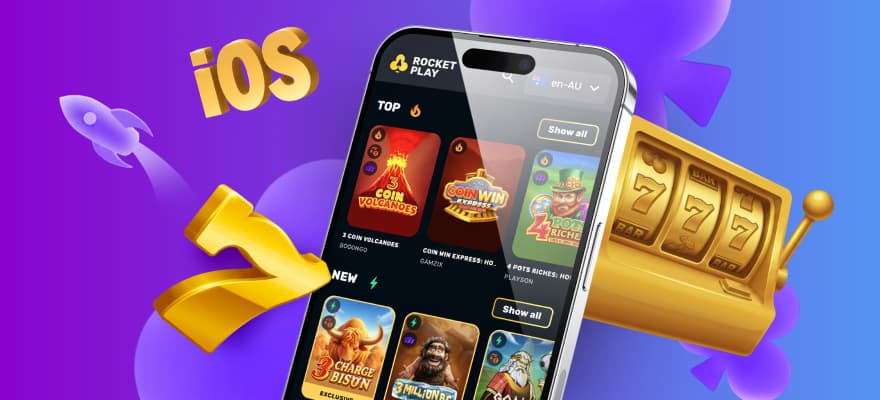
How the RocketPlay iOS Setup Works
Our mobile setup on iPhone and iPad uses Safari rather than a native app install. A PWA — Progressive Web App — is a website that behaves like an installed app once you save it to your home screen. You tap it, it opens full-screen, and you’re in.
There’s no RocketPlay Casino app download from the App Store, and no waiting for approval from Apple. The experience loads directly from the browser, so you’re always on the latest version without manually updating anything.
Steps to Add RocketPlay to Your iPhone Home Screen
Here’s how to get it set up on iOS:
- Open Safari and go to the RocketPlay Casino website
- Tap the Share icon at the bottom of the screen
- Select “Add to Home Screen” from the menu
- Name the shortcut and tap “Add”
- Open the icon from your home screen and log in
That’s the complete process. Chrome on iOS does not support “Add to Home Screen” in the same way Safari does, so stick with Safari for the cleanest result. Once saved, the icon sits on your home screen like any other app.
What You Get on the iOS Version
The RocketPlay mobile casino version carries every feature from the desktop — full game library, cashier, bonuses, and account management. Nothing is stripped back for mobile. You can deposit, claim promotions, play live dealer tables, and withdraw, all without switching to a desktop.
Our iOS version runs with an adaptive UI, meaning the layout adjusts to your screen size automatically. On an iPhone 13 or 14, the interface fills the screen without zooming or scrolling sideways. Push notifications can be enabled after install, so you’ll catch bonus alerts and promotional updates in real time.
Key Features Available on iOS:
- Full access to 9,000+ games including pokies, live casino, and crash games
- Integrated cashier with deposit and withdrawal in AUD
- Push notifications for bonus updates and account activity
- Low memory usage — runs without slowing your phone
- Works on slower mobile connections without dropping sessions
The PWA also loads fast. We keep memory use low so it runs on older iPhones without lag. If your connection drops momentarily, the session holds rather than crashing out.
RocketPlay App Login and Account Access
Your RocketPlay app login uses the same credentials as the desktop — same email, same password, same account. There’s nothing separate to register. If you already have an account, open the shortcut and sign in immediately.
For new Aussie players, registration takes three steps. In step one, you enter your email, set a password, select Australia as your country, and choose AUD as your currency. Step two covers your full name, Australian phone number, and date of birth. Step three is your address details — street, city, state, and postcode.
Once registered, all your bonuses, balance, and game history are accessible from the iOS shortcut. There’s no separate mobile account — it’s all one.
Payments From Your iPhone
Depositing and withdrawing from iOS works exactly as it does on desktop. The integrated cashier loads inside the app without redirecting you to an external page or browser tab.
| Payment Method | Min Deposit (AUD) | Max Deposit (AUD) | Processing |
|---|---|---|---|
| Visa / Mastercard | 35 | 6,000 | Standard |
| Apple Pay | 35 | 6,000 | Standard |
| MiFinity | 35 | 4,000 | Standard |
| Bitcoin (BTC) | 0.0001 BTC | — | Instant |
| Tether (USDT) | 5 USDT | — | Instant |
Apple Pay works natively on iPhone, so you can authorise deposits with Face ID or Touch ID. No card number entry needed — just confirm the payment and it goes through. For withdrawals, the minimum fiat amount is AUD 40, with weekly limits of AUD 9,000 and monthly limits of AUD 35,000. RocketPlay charges no fees on any transaction.
Games You Can Play on RocketPlay Mobile iOS
The full library of 9,000+ titles is available through the RocketPlay mobile iOS experience. Pokies load in a single tap, live dealer tables run without buffering issues on a stable 4G or Wi-Fi connection, and crash games like Plinko from Orbital Gaming render correctly on all recent iPhone models.
We work with 108 game providers, including Evolution Gaming, Pragmatic Play Live, BGaming, and Nolimit City. Live tables from providers like Ezugi and Vivo Gaming run at full quality on iOS. If you want to play RocketPlay mobile casino slots on the go, the library is filterable by category — pokies, jackpots, bonus buy, crash, and more — so you’re not scrolling through every title to find what you want.
Our exclusive titles — Rocketplay Auto Roulette, Rocketplay Royal Roulette, and Blackjack 8 — are all fully playable on iPhone and iPad. These aren’t available anywhere else, and they run on iOS without any additional setup.
| Game Category | Example Titles | Provider |
|---|---|---|
| Top Pokies | Sun of Egypt 5 | Booongo |
| Jackpot Games | Almighty Joker 20 | NetGame |
| Crypto Games | Plinko 1000 | InOut |
| Live Casino | Pragmatic Play Live Tables | Pragmatic Play |
| Exclusive | Rocketplay Auto Roulette | RocketPlay |
For Aussie players who want to explore the full games offering in more detail, RocketPlay mobile casino slots covers every category available on iOS.
Bonuses Accessible on iOS
Every bonus we run at RocketPlay Casino is claimable through the iOS version. The welcome pack starts from a AUD 30 first deposit and goes up to AUD 1,000 in bonus funds, plus 100 free spins delivered in batches of 20 per day over five days. Wagering on the welcome bonus is x40, with a maximum win of AUD 5,000 from the bonus balance.
The Friday Reload gives free spins based on your deposit size — 20 spins from AUD 30, 50 from AUD 75, and 100 from AUD 150. On Sundays, you can claim a 50% bonus up to AUD 300 on a minimum AUD 30 deposit, provided you’ve made at least two previous deposits. For more on how these work on mobile, the Rocket Play Casino mobile bonus section has the full breakdown.
Weekly cashback starts from Level 4 (Lava) and pays out every Thursday. If your net loss for the week is at least AUD 50, the cashback lands in your account without a claim — just activate it within three days of it being credited.
iOS vs Browser vs Android — What’s the Difference?
The PWA approach means the experience is consistent across all routes — whether you tap the home screen shortcut, open the site in Rocket Play mobile browser casino, or use an Android device. The shortcut just makes it faster to open.
There’s one practical difference: the home screen shortcut removes the browser navigation bar, giving you more screen space. That matters more on iPhone models with smaller screens. On iPad, the difference is less noticeable, but the full-screen view is still cleaner for live tables and slots with detailed graphics.
When to Use the Browser Instead:
- If you’re on a shared device and don’t want a permanent shortcut
- If you’re testing the casino before committing to a full account
- If Safari is unavailable and you’re using a third-party iOS browser
If you’re on Android, the setup process differs — RocketPlay Android version Australia uses Chrome instead of Safari, and the install prompt may appear automatically when you visit the site.
For regular play, the home screen shortcut is the better option. It opens faster, runs without the browser UI, and holds your session more reliably.
Getting Help and Fixing iOS Issues
Our support team is available 24/7 through live chat and email. If something isn’t loading correctly on iOS — a game won’t open, a payment isn’t processing, or the shortcut isn’t working — live chat is the fastest route to a fix.
Common iOS issues are usually one of three things: an outdated Safari version, a blocked cookie setting, or a conflict with iOS content restrictions. Clearing Safari’s cache and retrying solves most loading problems in under a minute. For more detailed troubleshooting steps, RocketPlay mobile issues fix covers the most common iOS-specific problems and how to resolve them.
Getting Started with RocketPlay Casino iOS
Getting onto RocketPlay from an iPhone takes two minutes and leaves no app installed on your device — just a home screen shortcut that opens into the full casino. AUD deposits start at AUD 35, Apple Pay works natively for fast authorisation, and your account, bonuses, and game history are exactly as they are on desktop. Register an account, save the shortcut to your home screen, and you’re ready to play.
FAQ
Does RocketPlay Casino have a dedicated iOS app in the App Store?
No. RocketPlay Casino does not have a native iOS app in the App Store. You access the casino by saving the site as a home screen shortcut through Safari — it functions like an app without requiring an App Store download.
Can I use Apple Pay to deposit on iOS?
Yes. Apple Pay is supported for deposits from AUD 35 up to AUD 6,000. You authorise the payment with Face ID or Touch ID directly on your iPhone, so no card details need to be entered manually.
Can I claim the welcome bonus through the iOS version?
Yes. The full welcome pack is available on iOS, including up to AUD 1,000 in bonus funds and 100 free spins on your first deposit of at least AUD 30. All promotional terms apply in the same way as on desktop.
What if a game won't load on my iPhone?
Clearing Safari’s cache resolves most loading issues. If that doesn’t help, check that cookies are enabled in Safari settings and that iOS content restrictions are not blocking the site. Live chat support is available 24/7 for anything that persists.
